
DT × Avanai n8n Training · Hour 1
Intro 01 / 00
Hour 1 · Fundamentals

Fundamentals of n8n Workflow Automation

Understand the mental model, watch a complete workflow come together live, and take home a starter library of workflows you can import and run.


Mental model One workflow, live build Real integrations Take-home JSON Live Q&A
A workshop by
Today's plan

One hour. Five blocks. One finished workflow.

We open with a quick live demo of what we'll build, get the idea of an AI agent, cover the fundamentals, then most of the hour is hands-on: you watch the agent come together step by step. At the end you get a starter library of workflows to import and adapt for your own team.

00:00 – 00:05
5m
1 · Intro & demo
What we build today, and a live run of the finished AI agent before we build it.
00:05 – 00:10
5m
2 · What is an AI Agent?
The quick mental model of an agent - it reasons, picks its tools, and acts on a goal.
00:10 – 00:20
10m
3 · The n8n mental model
Triggers, actions, the item model and credentials - the foundation.
00:20 – 00:50
30m
4 · One workflow, live build
Build an AI agent with a Jira tool - ask about your project's tickets in plain language.
00:50 – 01:00
10m
5 · Inspiration & Q&A
A few ideas to inspire what you could build next with n8n, a take-home library, then open Q&A.
Aemal Sayer
Your trainer

Aemal Sayer

CTO & Co-Founder · Avanai

Avanai is an n8n expert partner, delivering hands-on n8n and AI-automation enablement. I help teams go from zero to building real automations - exactly like the AI agent you'll build today.

n8n expert partner AI automation Team enablement
What we build today

One AI agent, from chat to answer

First the fundamentals, then I build exactly this live in n8n: an AI agent you chat with that decides when to pull Jira issues, remembers the conversation, and answers in plain language. Here is what it looks like on the n8n canvas.
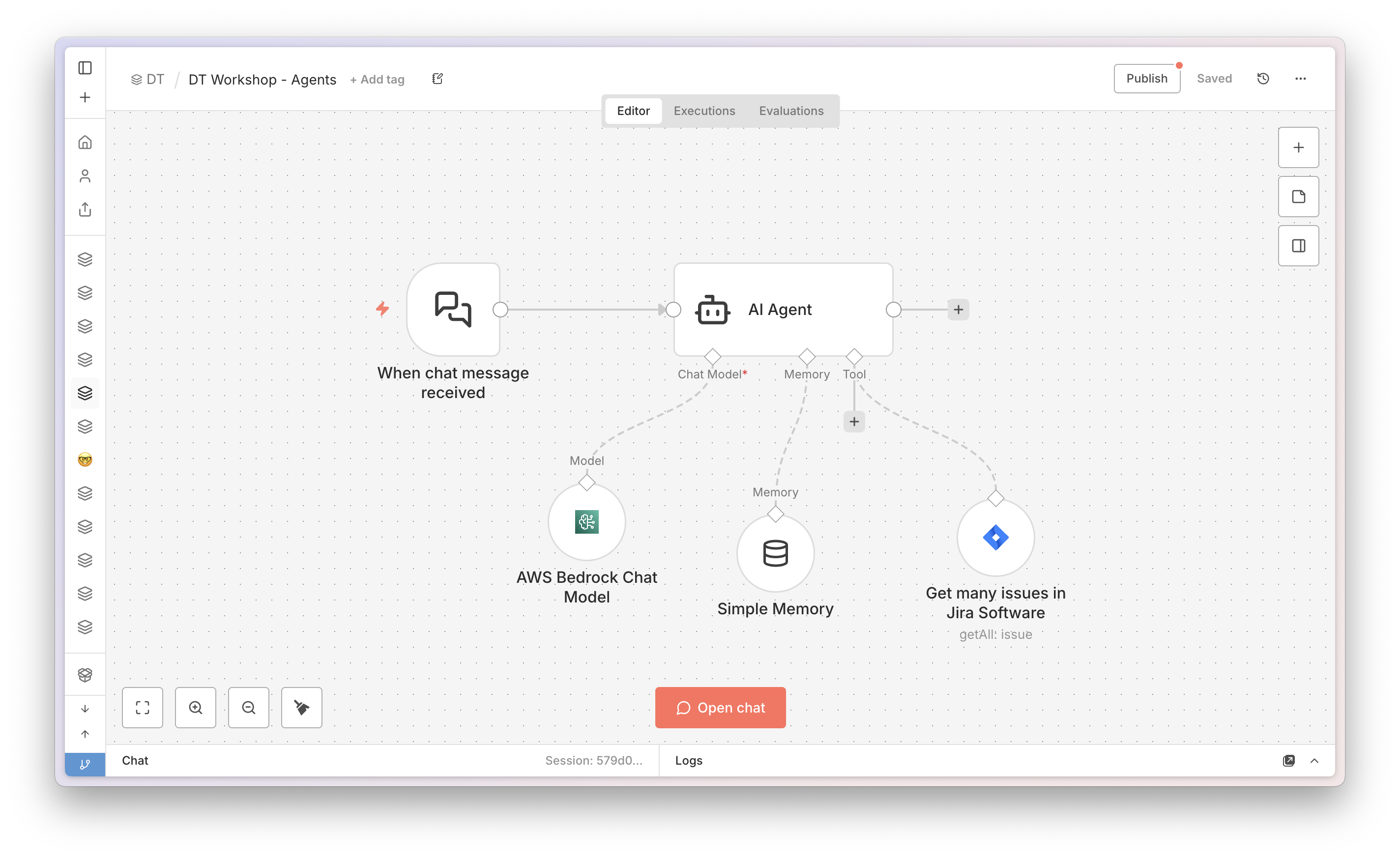
The finished AI agent on the n8n canvas
Live Demo

Let's see it run, end to end.

Before we build anything, here's the destination. A quick live run of the finished AI agent - you chat with it, it reaches into Jira on its own, and answers you in plain language.

Before we build - get set up

Follow every click, live, on your own screen.

AvaStage mirrors my screen to your device, live. Rewind any step you miss, and fire your questions in as we go - don't save them for the end.
Scan to join - fastest Scan to join AvaStage Point your phone camera here
Or join manually
1 · Open avastage.avanai.io
2 · Enter code
5859
Open AvaStage in a new tab →
📸 New screenshot every 3s Rewind to any click 💬 Ask & upvote questions 📊 Answer live polls
💡 Tip: Scan the QR on your phone to follow along and ask questions anywhere. Got a second monitor? Keep AvaStage on one screen, build n8n on the other.
3

The n8n mental model

Triggers, actions, the item model and credentials - the four ideas everything else builds on.

What is n8n?

n8n is the glue between your systems and AI.

Think of every tool you use - email, databases, spreadsheets, approval systems, AI models - as an island. n8n is the bridge between them. You connect steps (called nodes) into a workflow, and n8n runs them in order, passing data from one to the next. That's the whole concept.

🧩

Nodes

Each box is one step - "fetch this data", "send that email", "ask the AI". You add them from the node panel and wire them together on the canvas.

🔗

Workflows

A chain of nodes from a trigger to an outcome. Data flows left to right. No buttons to press once it's running - it just works.

🔎

Executions

Every run is recorded. The execution view shows exactly what each step did and what data came back - your window into the workflow.

🧭 What n8n is not, today: it's not a tool for building forms or user interfaces. We use it to connect systems and AI - that's where its power is.

The entry point

Triggers: what starts a flow

⚡ Trigger
  • One or more triggers, each a possible entry point.
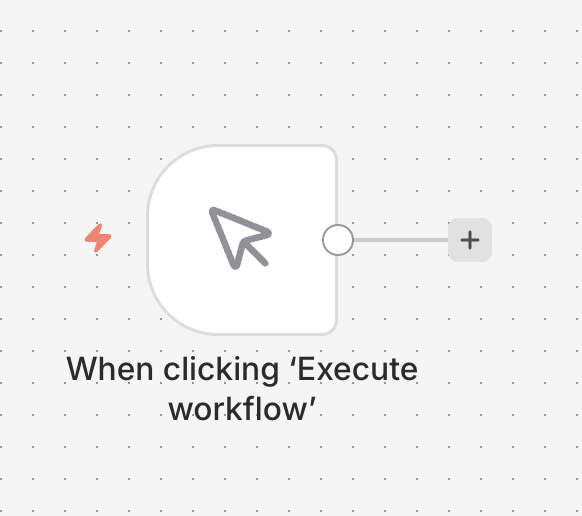
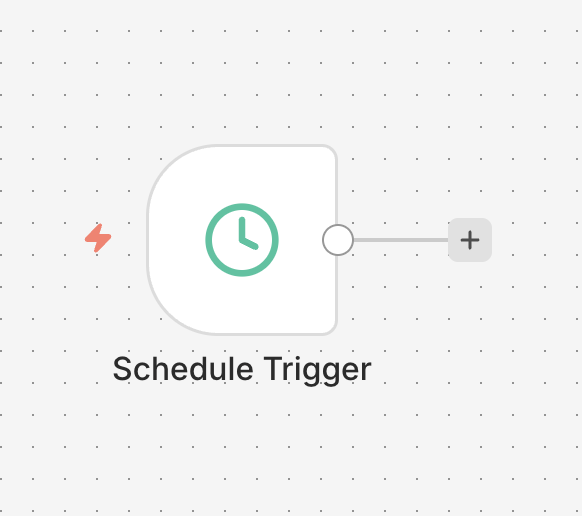
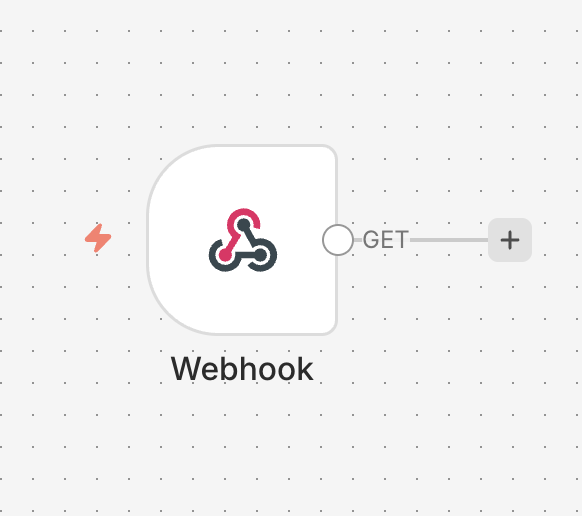
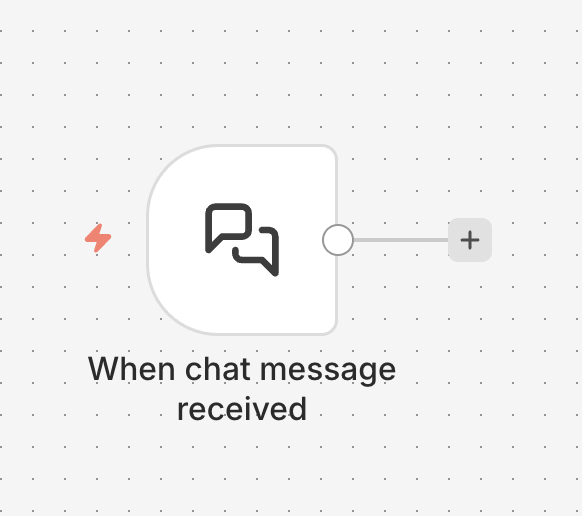
  • Manually, on a schedule, a webhook, a form, or a chat message.
  • Without a trigger, nothing happens.
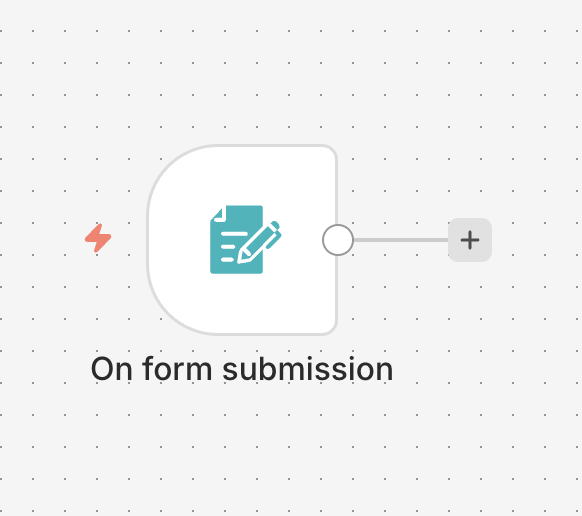
Each run starts at exactly one trigger.
The building blocks

Actions: what the flow does

🔧 Action
  • Any number of steps, one after another.
  • Fetch, transform, send, create data.
  • Each node does exactly one thing.
Chain as many actions as the job needs.
Secure connection

Credentials: enter once, reuse everywhere

A credential is where a node stores its connection. You enter the token once, then every node reuses it by name.

Enter it once
Paste the app's token into the credential a single time.
Reuse everywhere
Any node picks the credential from a dropdown.
•••
Kept out of the flow
Stored encrypted, never inside the workflow. Safe to share.
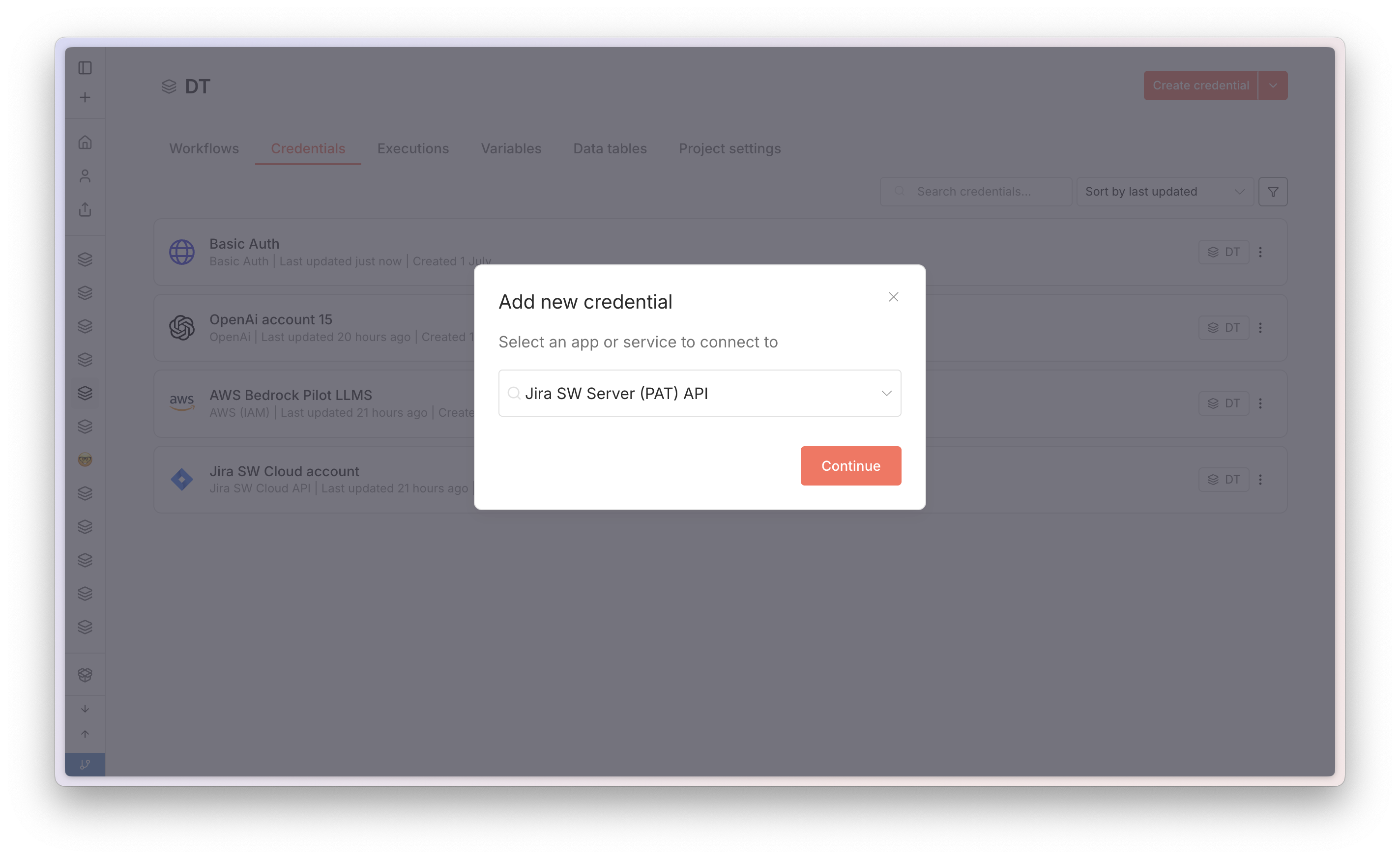
Entering a credential in n8n
The workspace

The canvas: where the workflow takes shape

The canvas is your visual workspace. You drop nodes on it, wire them together, and read the whole automation left to right - from the trigger to the result.

The canvas
One open workspace. Drag nodes on, arrange them, and see the whole flow at a glance.
Atomic nodes
Each node is one step - a trigger or an action. It does exactly one thing.
Connections
Arrows wire nodes in order. Data flows from the trigger down the chain to each next step.
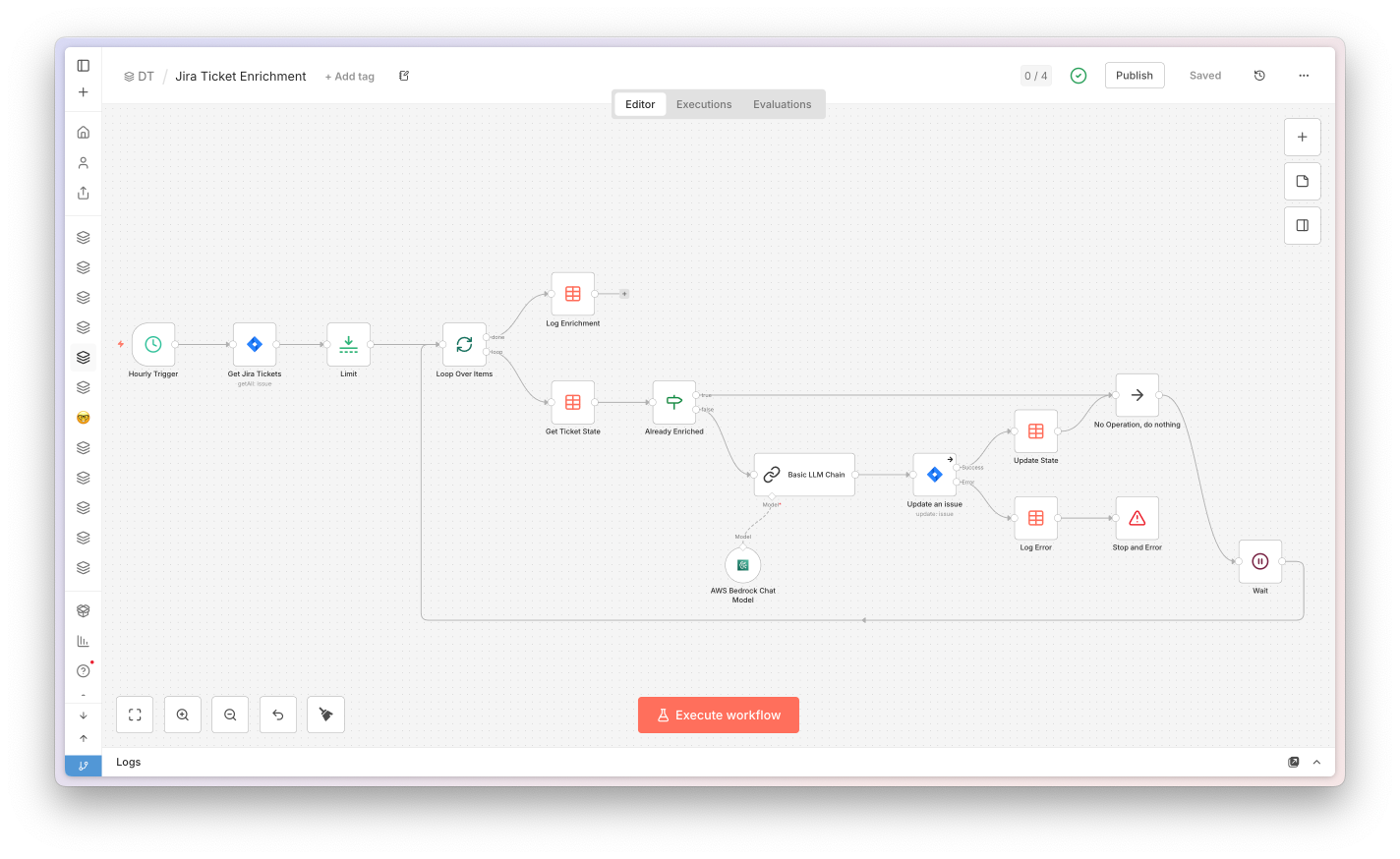
A workflow on the n8n canvas - a trigger and connected nodes
Inside a node

Open a node: input, settings, output

Click any node to open it. It always has the same three parts, left to right - what comes in, what you change, and what goes out.

Input (left)
The data arriving here is the output of the previous node - here, the Hourly Trigger.
Settings (middle)
Where you configure the node - it enriches or changes the data coming from the input.
Output (right)
The result after your settings run - this is what passes on to the next node.
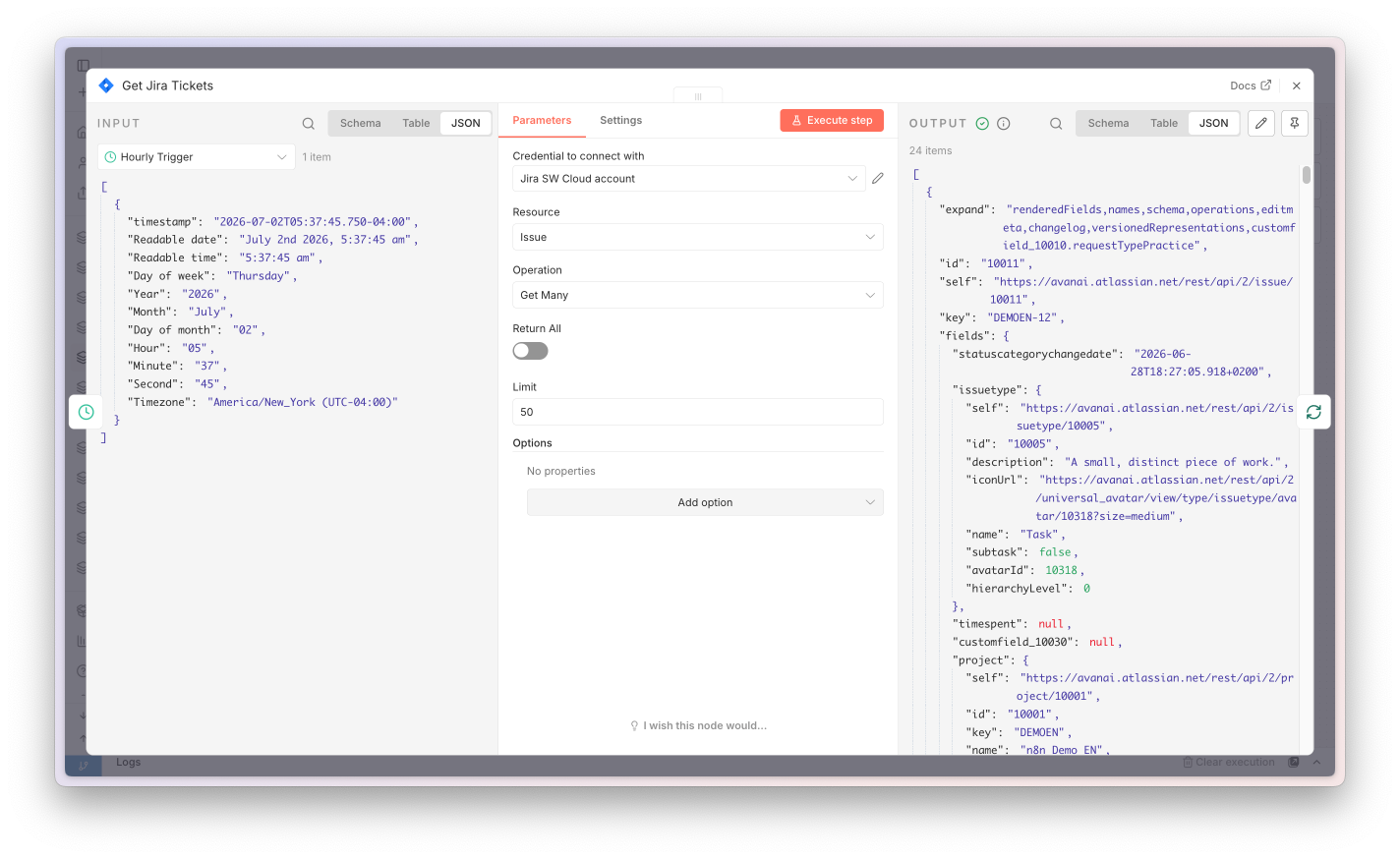
An open n8n node showing input, settings and output
Reading the wires

Those numbers are items flowing between nodes

Look at the labels on the arrows - 1 item, 24 items, 10 items. Each one is how many items pass to the next node, and every node runs once for each item it gets.

Items on the wire
The count on each connection is what the next node receives - 1 in, then 24 out of "Get Jira Tickets".
Once per item
A node runs once for every item it receives. 24 items in means it does its job 24 times.
The count can change
Nodes reshape it: a fetch returns 24, "Limit" trims to 10, a Loop hands over 1 at a time.
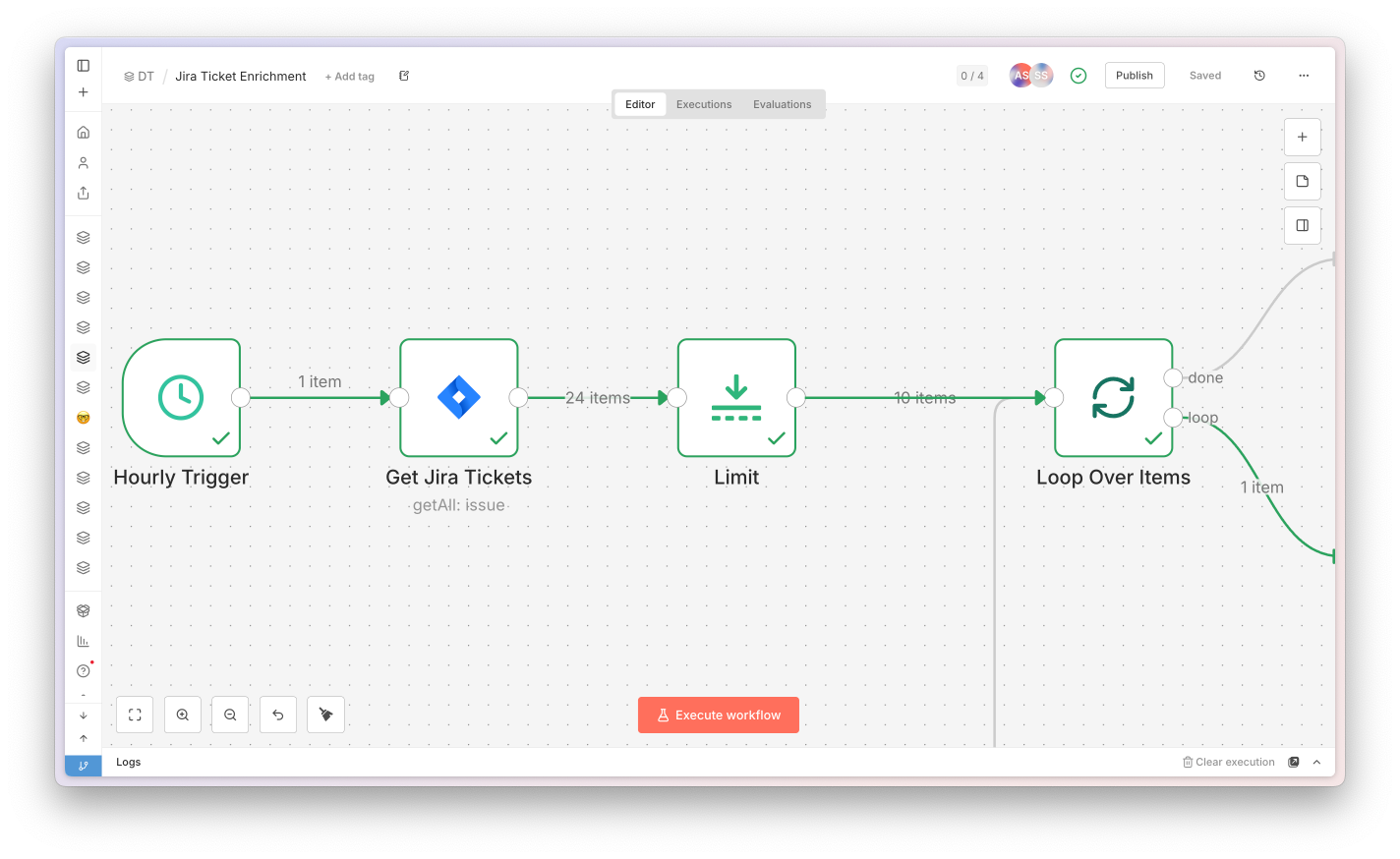
Item counts on the connections between n8n nodes
Executions

Every run is recorded and replayable

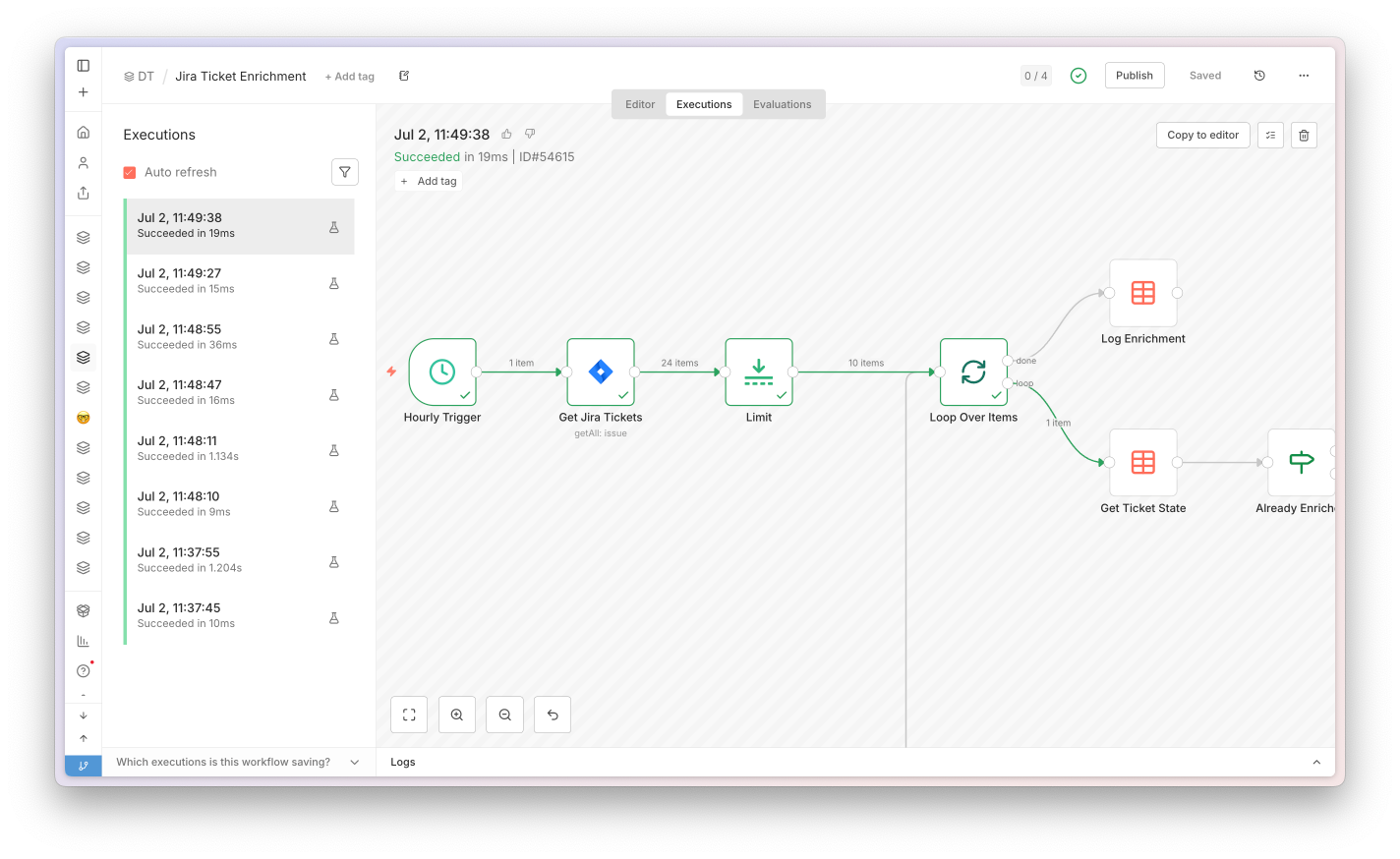
Open the Executions tab to see every time the workflow ran. Each run is a saved snapshot - you can reopen it, see exactly what happened, and reference it by its unique ID.

Every run is tracked
Manual or scheduled, each execution is logged here with its status, start time and duration.
A unique execution ID
Every run gets its own ID - open it, share it, or reference it when you're debugging.
A snapshot in time
It captures the exact data from that moment - inspect what each node received and returned.
The n8n executions list showing past runs
4

One workflow, live build

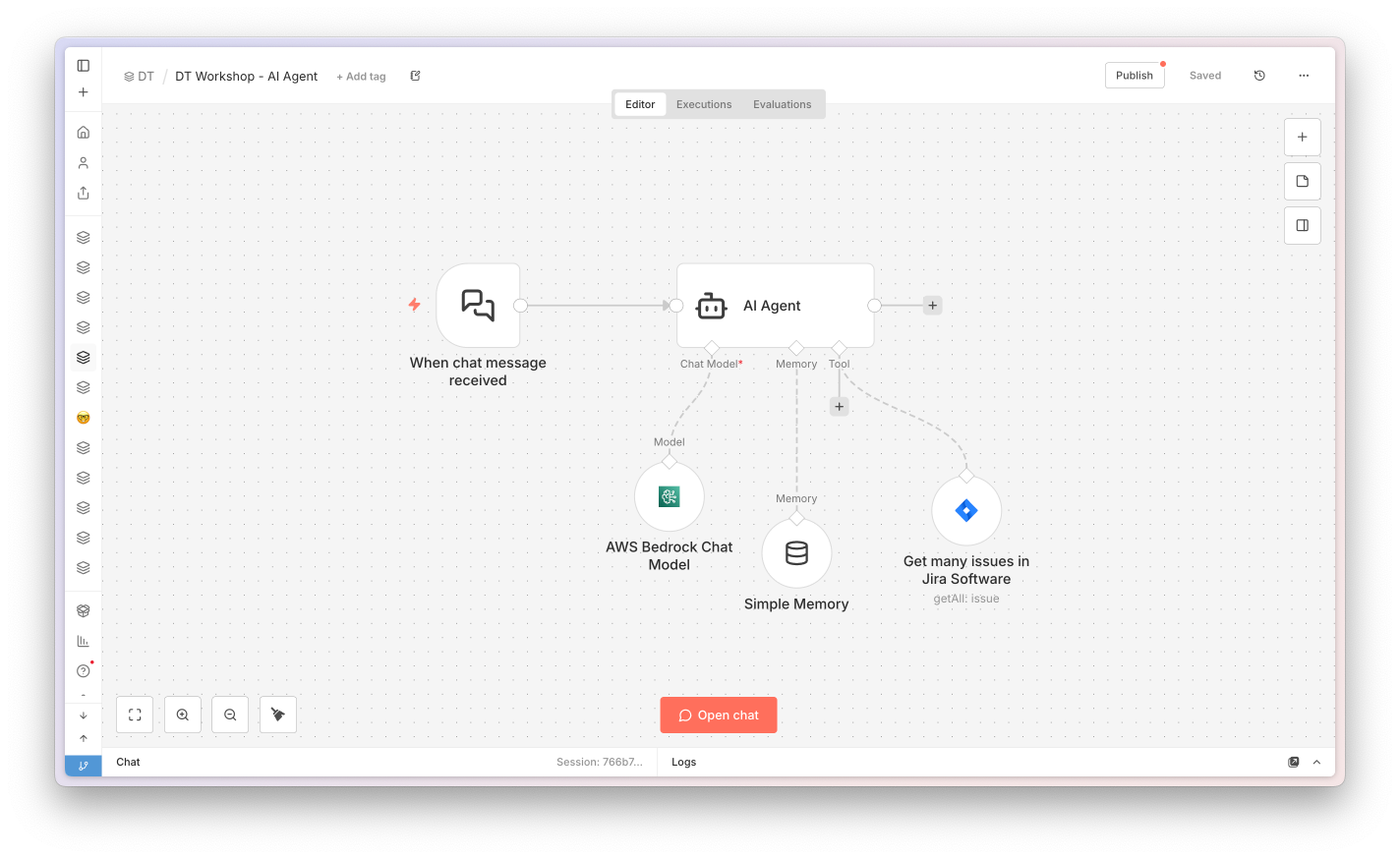
The DT Workshop AI Agent, built piece by piece: chat trigger, agent, model, memory, Jira tool.

Our example

Build your first AI Agent

You hand it a goal - it chats with you, decides when to pull Jira issues, and answers in plain language.

  • 🧠 Chat model - the reasoning brain (Claude on Bedrock).
  • 💬 Simple Memory - remembers the conversation.
  • 🔧 Jira tool - fetches issues on demand.
Download
The DT Workshop AI Agent on the n8n canvas
Hands on

Let's Build.

Open n8n and follow along. We'll wire up the DT Workshop AI Agent together, node by node - chat trigger, agent, model, memory, and the Jira tool.

5

Inspiration & Q&A

A few ideas to spark what you could build next with n8n - then the floor is yours.

Executions history

From a single run to history

The n8n executions list
Key message: you can always see whether and what ran - even overnight, entirely without you.
Ideas for your team

Concrete examples from everyday work

Weekly status digest

Every Monday, condense the week's work into one summary and post it to Teams.

New merge request

A new GitLab MR pings the review channel in Teams right away.

Failed pipeline alert

A red GitLab pipeline opens a bug ticket and notifies the owner.

Sprint recap → Wiki

Turn the sprint's done items into a Confluence page automatically.

Stale wiki reminder

Confluence pages untouched for months ping their owner to review.

Release notes draft

Collect merged MRs and let AI draft the release notes for you.

Onboarding kit

A new colleague gets their tasks and a Wiki welcome page on day one.

Shared inbox triage

AI reads the team mailbox, sorts requests and drafts a first reply.

Meeting notes → actions

Drop a transcript, AI returns the decisions and the to-dos.

Request form → workflow

A submitted form starts the right process without manual routing.

Deploy → change log

Every deployment appends an entry to a Confluence change log.

Daily digest email

Each morning the team gets one email with what changed overnight.

What comes next

So far we covered in n8n every single step.
What if we only named the goal - and let it decide for itself?

And this was just the warm-up. Next week's workshop takes it to a whole new level - stay tuned, you won't want to miss it. Until then, go back through today's content, rebuild these workflows and push them further. Come prepared, and you'll get ten times more out of Hour 2.

An idea for your team

Imagine a purchase agent that works ahead of you

3 invoices need a decision today:
INV-2041 Nokia, 12,400 €, overdue 6 days
INV-2038 Cisco, 3,200 €, due tomorrow
INV-2055 Dell, 48,900 €, due Friday
I drafted reminders for the first two and a release for Dell.
Send the reminders. Hold Dell until goods receipt is posted.
Done. Reminders sent to Nokia and Cisco. Dell stays on hold; I will re-check after goods receipt and flag you Friday.
What it does
📊 Analyzes invoice status 💡 Suggests next actions ✅ Executes after approval 🧭 Plans proactively
It analyzes, proposes, and waits for your approval, then executes and plans the next steps. That is the kind of agent we built for our customers, and I will teach you a simple one in the advanced workshop.
6

Example workflows to take home

A starter library. Download the JSON, paste it into n8n, reconnect your credentials, run.

How to use the library

Every workflow imports in about five seconds

Each card on the next slides gives you a Download and a Copy JSON button. Copy opens a short reminder of how to paste it into n8n. The workflows arrive fully wired - you only reconnect your own credentials and point them at your own projects.

1 · Download or copy

Grab the .json file, or copy it straight to your clipboard.

2 · Paste into n8n

Open a workflow, click the empty canvas, and press ⌘V / Ctrl+V.

3 · Reconnect & run

Select your Jira / model / email credentials, adjust the filters, then Test workflow.

Three workflows in this deck: the AI Agent (chat with your Jira), the Weekly Status Report from the live build, and CSV → Jira for bulk ticket creation. More get added as the training series grows.
Featured workflow

DT Workshop · AI Agent for Jira

A conversational agent: you chat, it decides which Jira query to run, remembers the conversation, and answers in plain language. This is the shape Hour 2 goes deep on - here it is, ready to import.

Chat message
Chat Trigger
AI Agent
reason + act
The agent's tools & brain
  • AWS Bedrock Chat Model - the language model that reasons.
  • Simple Memory - remembers the conversation across turns.
  • Jira tool - Get many issues, called by the agent when it needs data.
The agent picks when to query Jira on its own - you name the goal, not the steps.
Workflow · Featured

DT Workshop - Agents

DT Workshop AI Agent.json

Import it, connect an AWS Bedrock (or any chat model) credential and your Jira credential, then open the chat and ask about your issues.

Download
Two more to import

The live build, plus a bulk-ticket helper

Workflow · Scheduled report

Jira Weekly Status Report

Schedule
weekly
Fetch Jira
Search
Aggregate
combine
AI
summary
Email
send
jira-weekly-status-report.json

The exact workflow from the live build. Fetches the week's tickets and emails an AI summary.

Download
Workflow · Bulk create

CSV → Jira Tickets

Manual
trigger
Read CSV
Read File
Parse
Extract
Create
Jira
csv-to-jira.json

Turn a spreadsheet into tickets: read a CSV, parse the rows, create one Jira issue each. Sample tickets.csv is in the Workflows folder.

Download
One more pattern

Watch sources and get notified

Schedule
Trigger · daily
Fetch sources
HTTP · RSS
Assess
AI · relevance
Notify
Teams · Email
Same three patterns again: a schedule, an enrich step, and an output - just pointed at the outside world. Every workflow you build is a remix of these three moves.

You've got the fundamentals

Triggers, actions, items, credentials - and one complete workflow you watched come together. The library is yours to take home and remix.

Mental model ✓ Live build ✓ Take-home JSON ✓
7

Wrap

Who ran today's session, and the floor is yours.

n8n Official Premium Partner

Today's host: Avanai.

We help organisations adopt AI and roll out n8n internally: the workflows, the credential patterns, the team enablement, the bits that turn n8n from a tool a few people poke at into a platform a whole company runs on. If anything here resonated, we are the people to talk to.

n8n rollouts AI workflow design Custom integrations Team enablement

avanai.io

Open mic

Q&A

Anything about the workflow, the nodes, the credentials, or where to take this next. The floor is yours.

01 / 00
Where we are today

Live timeline

--:--local time
🎬1 · Intro & demo
🤖2 · What is an AI Agent?
🧠3 · The n8n mental model
⚙️4 · One workflow, live build
📚5 · Inspiration & Q&A